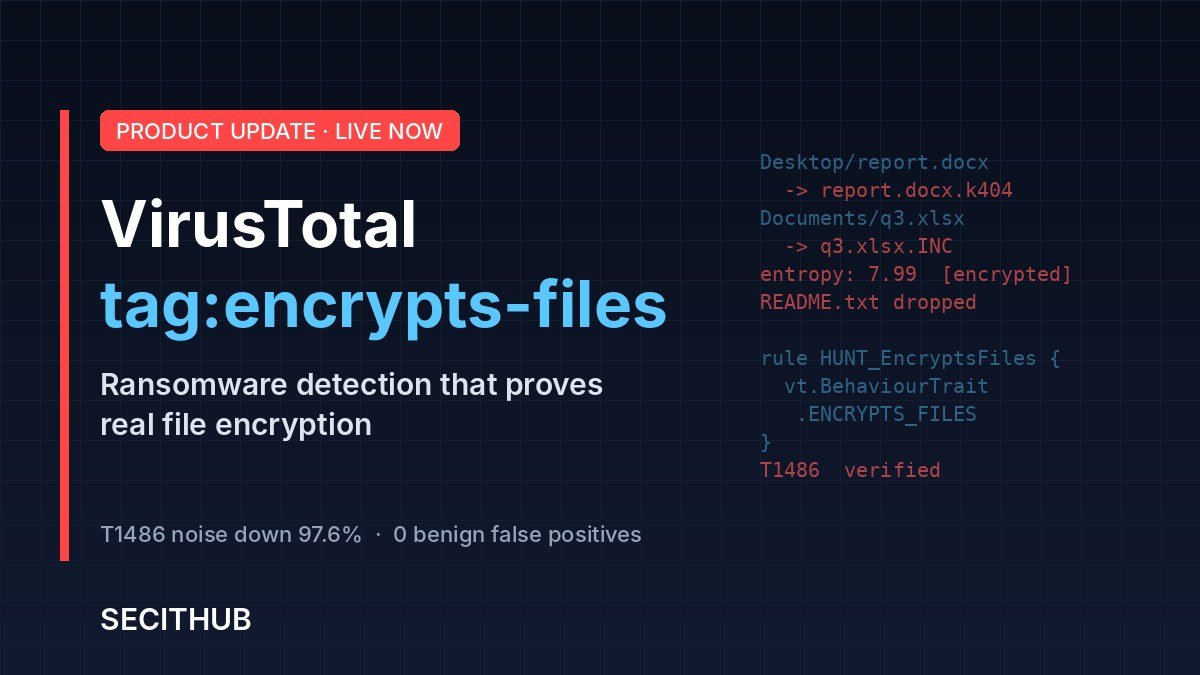
VirusTotal ransomware detection just got a lot more precise. On 20 November 2026, Google’s VirusTotal introduced a new encrypts-files tag across VirusTotal and Google Threat Intelligence. It appears only when a sandbox confirms that a file really encrypted user documents. VirusTotal also tightened how its CAPE sandbox maps activity to MITRE ATT&CK T1486, the technique for data encrypted for impact.
The change targets an old problem. Analysts want one simple answer: did this file actually lock up someone’s documents? Until now, sandbox signals mixed real ransomware with installers, compilers and other noisy but harmless software. According to VirusTotal, the update cut daily T1486 hits across the platform by 97.6%.
What VirusTotal Changed in Ransomware Detection
VirusTotal has been part of Google since 2012, and today it sits inside Google’s threat intelligence offering. That is why the rollout covers both VirusTotal and Google Threat Intelligence. It includes three updates, and each one serves a different part of the analyst workflow.
A New encrypts-files Tag
The new signal shows up in two forms. Search uses the file tag tag:encrypts-files. Behavior reports use the trait behaviour_tags:encrypts_files. Three sandboxes can emit it: CAPE Sandbox and Zenbox on Windows, and macOS Mirage on Apple Silicon. The tag appears only after dynamic analysis confirms real encryption of user documents.
Stricter T1486 Mapping in CAPE
Before the change, generic CAPE signatures treated heavy file activity as ransomware. Mass deletes, overwrites or moves could map straight to T1486. Now, new CAPE reports must show verified encryption of user files before they emit that mapping.
Real-Time Livehunt Matching
Hunters can match the new trait in Livehunt with YARA-X, using vt.BehaviourTrait.ENCRYPTS_FILES. According to VirusTotal, Livehunt evaluates these rules as soon as a sandbox report finishes. Hunters do not have to wait for a file tag to update.
Lots of file activity is not proof of ransomware. Encrypted documents are.
How VirusTotal Proves a File Really Encrypted Data
Each sandbox holds realistic user documents in normal profile folders. When a sample runs, the sandbox checks those files during and after detonation. A sample must pass three gates to earn the tag.
- The sample changed real user documents on disk
- The changed files look encrypted, not just edited
- Other ransomware behavior backs up the finding
- It works for AES, ChaCha20, XOR and partial encryption
- Samples that need passwords or command-line arguments
- Sandbox evasion, user-interaction gates and long sleeps
- Lockers that need an unreachable C2 key server
- Attacks that only target network shares
Gate 1: Checking the Files, Not the Crypto API
Modern ransomware often skips the operating system’s crypto libraries. Many families ship their own AES, ChaCha20 or custom code. So VirusTotal does not rely on hooking crypto APIs. Instead, the sandboxes inspect the modified documents on disk. Format-aware checks look for broken file structures, high entropy or non-text byte patterns. VirusTotal says it uses no single fixed entropy threshold.
Gate 2: Spotting Coordinated Renames
Many families write an encrypted copy under a new extension, then delete the original. The sandboxes link reads, writes, moves and deletes across user folders to catch this pattern. Examples from the launch include .k404, .lkd, .INC, .BLWZ and .heartbreaker.
Gate 3: Filtering Out Harmless File Churn
Installers, self-extracting archives, compilers, browser caches and logs all create lots of files. The sandboxes exclude them when they only touch routine temporary or app files. A dropped README or a single crypto API call is not enough to trigger the tag.
The Numbers Behind the Launch
False Positives Cut to Zero
According to VirusTotal, CAPE alone used to flag about 1,039 files a day as T1486. Of those, 78.5% had zero antivirus detections. After the change, CAPE’s T1486 hits on benign files fell to zero. Across the platform, daily T1486 volume dropped from 7,238 files to 171.
What the First 55 Matches Show
VirusTotal analyzed 328,257 new unique files from 17 November. The tag matched 55 of them. VirusTotal says it reviewed all 55 by hand and found no benign false positives. Testing before launch also showed none across 9,976 random CAPE reports and 400 macOS Mirage runs. Notably, 20 of the first 55 were not standard Windows .exe files. Most were ZIP and RAR archives, with some Python scripts and DLLs.
Ransomware That Antivirus Missed
The best examples come from samples with few detections. A Python locker called system_update.pyw had 0 of 75 antivirus detections when analyzed. It still encrypted Desktop files to .k404. A related file, lkd.exe, had only 3 of 75 detections. On macOS, the Heartbreaker sample had 16 of 75 detections. It set up a LaunchAgent and encrypted Downloads files to .heartbreaker. VirusTotal’s list of verified samples also includes well-known families such as INC Ransom, Medusa, LockBit and WannaCry.
A low detection score does not mean a low-risk file.
Why This Matters for Defenders
T1486 is one of the most important labels in a SOC. It tells an analyst that a file can destroy data. When the label fires on installers and archives, teams learn to ignore it. A precise label restores its value.
The change also helps with discovery. Pairing proven encryption with low antivirus scores surfaces new or evasive lockers early. That gives hunters a head start on families that signature tools still miss. Our report on The Gentlemen ransomware shows how fast new groups appear.
VirusTotal is clear about the limits. It calls the tag a high-precision confirmation signal, not a filter that catches everything. A missing tag does not prove a file is safe. Treat it as strong evidence when present, and as no evidence when absent.
How to Use VirusTotal Ransomware Detection Now
The tag and the stricter gating are live for newly scanned and re-analyzed files. Here is how to put them to work:
- Search for confirmed lockers. In VirusTotal Intelligence, start with
entity:file tag:encrypts-files. Addtype:machofor macOS orNOT type:peexefor scripts and archives. - Hunt evasive samples. Add
p:10-to find encrypting files with fewer than ten detections. - Build a Livehunt rule on the trait. Match on
vt.behaviour.traitsrather than the file tag, since Livehunt evaluates behavior as soon as the report is ready. VirusTotal advises against adding a T1486 check on top. - Reanalyze important old samples. Cached reports keep their old tags. Use Reanalyze in the web interface to queue new sandbox runs. The API’s analyse endpoint refreshes antivirus results only, unless you re-upload the file.
- Speed up SOC triage. Pair encrypts-files with T1486 to confirm destructive capability faster than generic crypto tags.
- Test your own defenses. Use tagged samples to validate EDR, storage protection and purple-team exercises.
- Keep sensitive samples private. Private Scanning runs the same checks in an isolated tenant.
Better detection buys time, but it does not replace recovery. If ransomware does reach your files, clean backups decide how fast you return to work. For the full approach, read our guide to cyber vaults and immutable backups. To compare EDR and backup vendors, see our Cybersecurity Vendor Landscape.
Prove the encryption first. Then trust the alert.

It is a new tag and behavior trait that appears only when a VirusTotal sandbox confirms that a file encrypted real user documents. It is emitted by CAPE Sandbox, Zenbox and macOS Mirage.
T1486, Data Encrypted for Impact, is the MITRE ATT&CK technique for encrypting data to disrupt access to systems and files. Ransomware is the most common example.
According to VirusTotal, CAPE T1486 hits on benign files fell from about 1,039 a day to zero, and platform-wide T1486 volume dropped 97.6%, from 7,238 to 171 files a day.
No. VirusTotal says the tag is a high-precision confirmation signal, not a complete filter. Samples that need passwords, evade sandboxes or depend on unreachable key servers may not trigger it.
Older reports keep their historical tags. Click Reanalyze in the VirusTotal web interface to queue new sandbox runs. The API analyse endpoint refreshes antivirus results only unless the file is re-uploaded.
Yes. Livehunt supports YARA-X rules that match the trait vt.BehaviourTrait.ENCRYPTS_FILES as soon as a sandbox report finishes.
Sources
VirusTotal Blog: Catching Ransomware, Introducing encrypts-files and Stricter MITRE ATT&CK T1486
MITRE ATT&CK: T1486 Data Encrypted for Impact
VirusTotal Docs: Livehunt
VirusTotal Docs: Writing YARA rules for Livehunt